
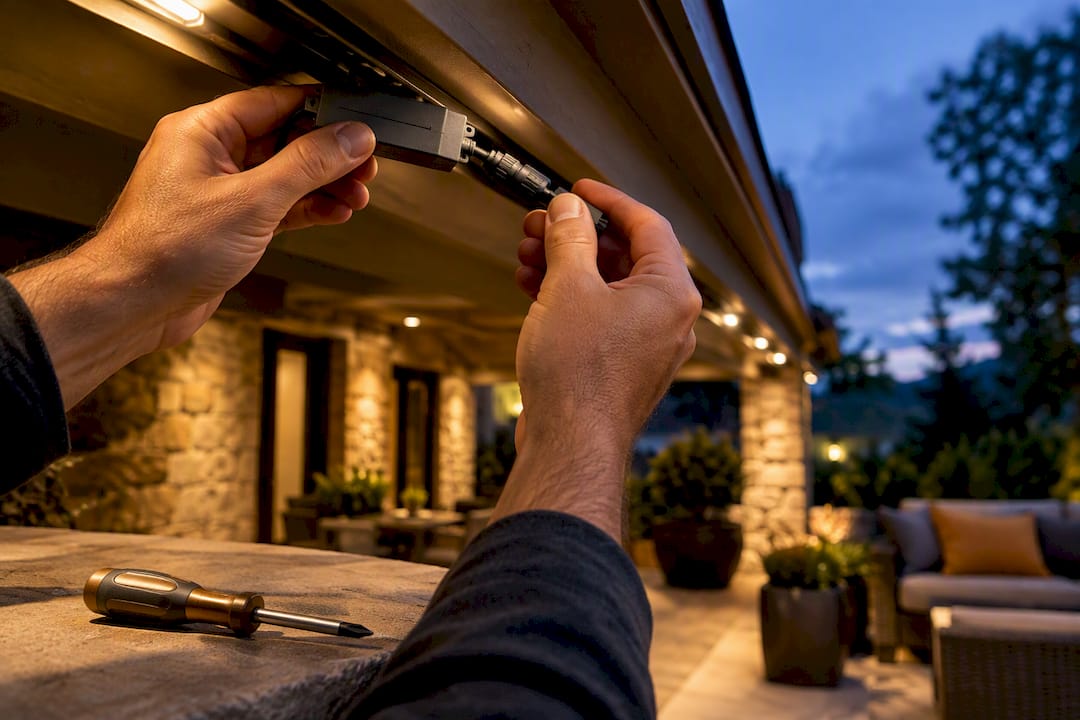
Most permanent lighting problems trace back to three fixable culprits: a tripped breaker or offline controller, a corroded connector, or a single failed LED module. Try the quick checks first: power, app connection, and the connector nearest the first dark section. If the problem sits inside line-voltage wiring, a soaked junction box, or a system still under warranty stop and call a licensed installer or electrician.
TL;DR:
- Most failures stem from simple causes like a tripped breaker, corroded connector, or failed LED module, which can often be fixed with basic troubleshooting.
- Repair costs range from $100 to $400 for module or connector swaps, with wiring failures potentially reaching $1,500 or more if extensive work is needed.
- Routine maintenance such as inspecting connectors, resealing, and testing power supplies can prevent most outages and cost less over time.
- Line-voltage wiring issues or repairs involving internal junctions require licensed electricians, as DIY fixes pose safety risks and can void warranties.
- Using modular, rated components simplifies repairs and helps avoid full-system replacements, which are far more expensive and disruptive.
Table of Contents
- Permanent Lights Repair Options for Common Failures
- The Diagnostic Workflow Technicians Actually Follow
- When DIY Repair Works and When It Doesn’t
- Repair Options and What They Typically Cost
- A Maintenance Routine That Prevents Most Repair Calls
- What a Technician Actually Looks for on a Service Call
- How Your Warranty Affects Which Repairs You Can Make
- Compatibility Matters More Than It Looks Like It Should
- Disposing of Failed Lighting Components the Right Way
- An Editorial Take on Fixing These Systems the Right Way
- Get Your Permanent Lighting Repaired by Forever Glow Lighting
- Standards and Resources Worth Bookmarking
- Sources
- FAQ
Permanent Lights Repair Options for Common Failures
Before assuming the worst, work through the usual suspects. Most calls to a technician turn out to be simple fixes once someone isolates the actual failure point, and practitioner troubleshooting guides consistently point to the same short list of causes behind most flicker and color problems.
- Power supply issues: A tripped breaker, an unplugged transformer, or a controller stuck offline accounts for a huge share of “the whole system is dead” calls.
- Bad connectors: Waterproof connectors degrade with UV exposure and freeze/thaw cycles, and a single failed connector can black out everything downstream of it.
- LED module failure: One burned-out module in a modular track usually just needs to be swapped, not the whole run.
- Controller/app glitches: A controller that lost its Wi-Fi handshake will often show random colors or refuse commands even though the lights themselves are fine.
- Data/signal loss: On addressable systems, a break or resistance buildup in the data line causes patterns to run wrong on everything past that point.
- Moisture intrusion: Water inside a connector or junction causes intermittent faults that come and go with humidity or rain, which makes them the hardest to diagnose by eye.
Pro Tip: If one section goes fully dark, walk the run and find the exact spot where “working” becomes “not working.” That junction, not the whole strand, is almost always where the fault lives.
For flicker or dimming, test the power supply’s output with a multimeter before replacing anything. Long runs often need power injection or a higher-capacity supply rather than a repair at all. Random colors or scrambled patterns usually point to data wiring, not the bulbs themselves, so remapping zones in the app or adding a signal amplifier on longer runs frequently solves it without touching a single LED.
The Diagnostic Workflow Technicians Actually Follow
A safe repair starts with elimination, not guesswork. Skipping steps is how homeowners end up replacing parts that were never broken.
- Confirm power at the source. Check the breaker, the outlet, and whether the controller or app shows the system online before touching anything else.
- Walk the system visually. Look for sagging mounts, cracked track, pinched wiring, or seals that have separated from sun exposure.
- Isolate the failing section. Find the first dead pixel or dark segment and, if you have one, swap in a known-good test strip to confirm whether the fault is in the module or downstream of it.
- Run electrical tests. Measure DC voltage at the power supply output and again at the first LED module; a continuity test on suspect wiring will confirm a break fast.
- Bring in advanced tools only when needed. A signal amplifier can fix data dropout on long addressable runs, and a time domain reflectometer can locate a hidden wiring break, but that last tool belongs in a technician’s hands, not a homeowner’s toolbox.
Pro Tip: Label your zones the first time you troubleshoot. Next time something fails, you’ll know in seconds whether the problem is in the “front roofline” run or the “back patio” run instead of tracing wire for twenty minutes.
This sequence matters because addressable pixel faults almost always sit at the junction right before the first pixel that stopped working. Chase that one connection first, and you’ll skip a lot of wasted effort.
When DIY Repair Works and When It Doesn’t
Low-voltage repairs are generally fair game for a comfortable homeowner. Swapping a failed module, replacing a weathered waterproof connector, resealing a joint with outdoor-rated silicone, or power-cycling a stuck controller are all reasonable DIY tasks that rarely require special tools.
Line-voltage wiring is a different category entirely. Anything involving the interior of a junction box, a transformer’s primary side, or signs of heat damage, scorching, or a burning smell needs a licensed electrician, full stop. UL’s guidance on retrofit kits and luminaire safety points to why: outdoor luminaires and retrofit components need to meet wet-location ratings and recognized safety standards, and using uncertified parts can create both a fire risk and a code violation that complicates inspections later.
There’s a warranty angle too. Opening a sealed component or splicing into a manufacturer’s wiring often voids the coverage that would otherwise have paid for the repair. Professional workmanship warranties exist precisely because a technician’s fix is documented, tested, and backed, where a DIY patch usually isn’t.
Repair Options and What They Typically Cost
Repair pricing scales with how deep the problem goes, not how big your house is. A single connector or module swap is a minor fix; a system-wide wiring failure is a different conversation entirely.
- Diagnostic visit: Most companies charge a flat diagnostic fee that gets applied toward the repair if you move forward with the work.
- Connector or module replacement: Roughly $100 to $400, and usually finished the same visit.
- Power supply or controller swap: Around $200 to $800 depending on the unit’s capacity and how many zones it drives.
- Extensive wiring repair: $500 to $1,500 when multiple runs or long buried sections need to be replaced.
- Full system replacement: Several thousand dollars, scaled to the size of the home, and usually only necessary when the original installation used non-serviceable parts.
Modular systems keep these numbers down. Installer troubleshooting reports show that many repairs isolate cleanly to a controller, a power supply, or a connector, and get resolved on-site in one to three hours when the technician is carrying common replacement parts. That’s a fraction of what a full reinstall costs, which is the whole argument for choosing a system built around swappable components in the first place.
Access difficulty and timing move the price too. A run tucked behind landscaping or on a steep roofline takes longer to reach, and repairs booked during peak holiday season often face longer lead times simply because every installer’s schedule fills up at once.

A Maintenance Routine That Prevents Most Repair Calls
Most permanent lighting failures are preventable with a short annual routine rather than a reactive scramble every time something goes dark.
- Test the controller and power supply once a year. A quick voltage check catches a failing supply before it takes out an entire run.
- Inspect and reseal connectors. UV exposure and temperature swings break down seals faster than most homeowners expect, so a fresh bead of outdoor-rated silicone goes a long way.
- Check the mounting. Loose brackets or sagging track put mechanical stress on connectors that leads to intermittent faults down the line.
- Keep a small spares kit. A few waterproof connectors, end caps, and a short LED section on hand turn a repair visit into a same-day fix instead of a return trip.
- Update firmware and confirm Wi-Fi stability. Smart controllers that drop connection frequently are often fixed by a router placement change, not a hardware swap.
A scheduled maintenance plan folding all of this into one appointment a year tends to be cheaper over time than paying for emergency visits one at a time.
What a Technician Actually Looks for on a Service Call
Installer-grade systems are built around aluminum channel mounting and IP-rated connectors specifically because those two components fail far less often than adhesive tape mounts and unrated splices. Rigid aluminum track handles thermal expansion better than adhesive-backed strips, which is the main reason tape-mounted lighting comes loose over time while channel-mounted systems stay put for years.
A typical service visit follows a set pattern: inspection of the full run, diagnostic testing at the power supply and along the data line, and same-day repair when the technician is carrying the right part. That’s the advantage of working with someone who stocks common failure parts rather than ordering them after the visit.
On most calls, the fix isn’t a mystery. It’s a connector that gave out, a power supply that’s undersized for the run, or a data line that lost signal integrity. Finding that exact point fast is the entire job.
A workmanship warranty backing that repair tends to save homeowners money over several years, since a documented professional fix rarely needs revisiting the way a string of small DIY patches often does.
How Your Warranty Affects Which Repairs You Can Make
Warranty terms decide more about your repair options than most homeowners realize. A manufacturer’s product warranty typically covers defects in the LED modules, power supply, or controller, but it can be voided the moment someone other than a certified technician opens a sealed housing or splices into factory wiring. Read that fine print before reaching for a screwdriver.
A workmanship warranty is a separate thing entirely. It covers the installer’s labor, wiring, and mounting rather than the components themselves, and it’s usually what actually pays for a fix when a connector fails two years after installation. Ask specifically whether your installer’s warranty covers parts, labor, or both, and for how long, since the difference determines whether a repair call is free or billable.
Service agreements change the math again. A maintenance subscription that includes annual inspections often catches failing components before they become full outages, and many plans bundle discounted repair labor as part of the subscription. Such a maintenance relationship covers routine checks and gives you priority scheduling when something does go wrong.
One practical note: if your system is still under any warranty, get a written diagnosis from the covered installer before attempting a DIY fix. An amateur repair on a warrantied part can shift the entire remaining repair cost onto you.
Compatibility Matters More Than It Looks Like It Should
Not every replacement part fits every system, even when the physical connector looks identical. Voltage mismatches, differing data protocols, and controller firmware that only recognizes specific module types are the most common reasons a “simple swap” turns into a bigger job.
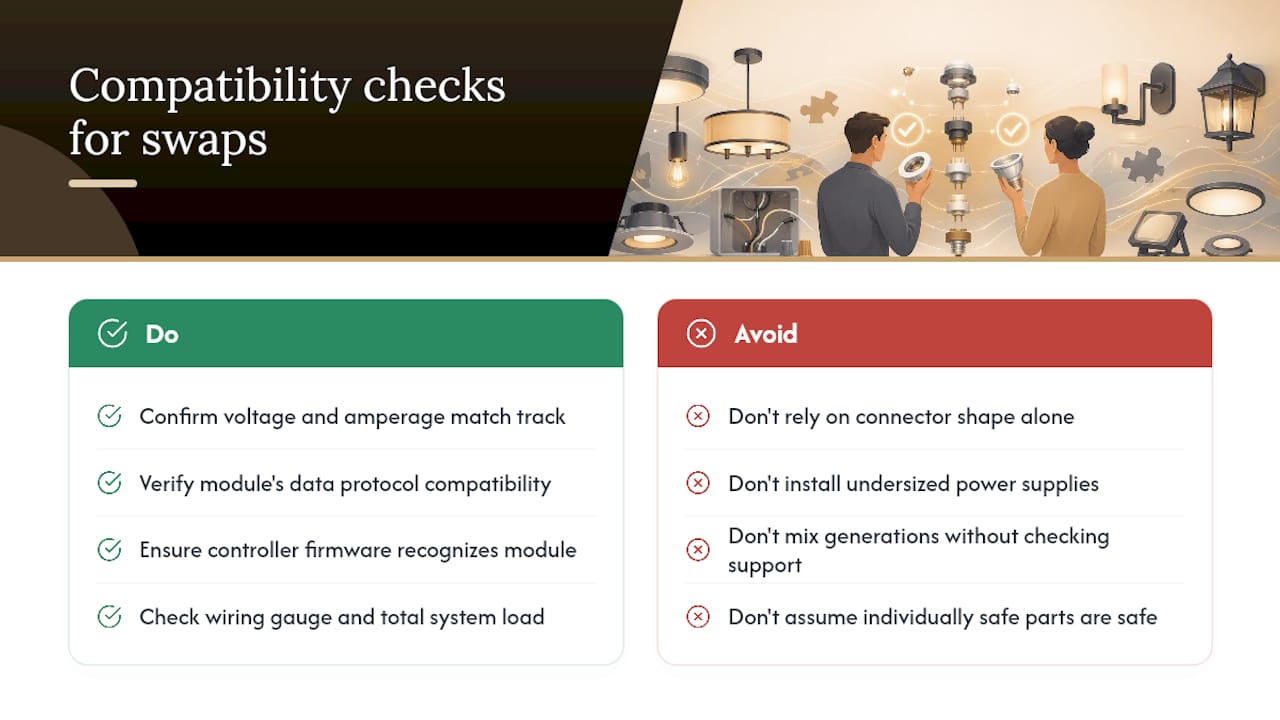
Before replacing a power supply, confirm the voltage and amperage match your existing track, not just the connector shape. An undersized replacement will cause the exact flicker and dimming symptoms you were trying to fix in the first place. Addressable systems are even less forgiving: modules built for one data protocol usually won’t communicate correctly with a controller designed for a different one, even if they plug in physically.
Upgrading rather than repairing raises the same question. If you’re adding zones, extending a run, or swapping in a newer controller with more color options, check that the new hardware supports your home’s existing wiring gauge and total load. Mixing generations of hardware on one system is one of the more common reasons technicians get called back after a homeowner’s DIY upgrade attempt.
This is also where certified components earn their keep. UL’s landscape and outdoor lighting testing program exists partly because low-voltage system subassemblies need to be evaluated together, not just as individual parts, to confirm they actually work safely as a system. A mismatched but individually “safe” combination of parts can still create a functional or fire-risk problem.
Disposing of Failed Lighting Components the Right Way
LED modules, power supplies, and controllers all contain electronic components that don’t belong in a household trash can. Circuit boards, drivers, and some connectors contain materials that most municipal waste programs classify as electronic waste, and many local recycling centers accept small LED fixtures and low-voltage drivers specifically for that reason.
The environmental case for repair over replacement is straightforward: a modular system that lets you swap one failed part instead of tearing out an entire run generates a fraction of the electronic waste that a full replacement does. DOE’s guidance on LED luminaire lifetime specifically recommends buyers scrutinize serviceability before purchase, since a design that can be repaired in place has a meaningfully lower lifecycle cost and waste footprint than one that requires full replacement at first failure.
If a full system does reach end of life, check whether your installer offers take-back or recycling as part of a replacement job. Many do, since it saves the homeowner a separate disposal trip and keeps working components out of a landfill unnecessarily. When in doubt, your local electronics recycling drop-off point will take LED drivers, controllers, and circuit boards even if it won’t take the plastic housing or track.
An Editorial Take on Fixing These Systems the Right Way
The industry has a bad habit of treating every lighting complaint like a full-system emergency, and that habit costs homeowners money they didn’t need to spend. The evidence here points somewhere else entirely: most failures are small, isolated, and fixable at the component level, provided the system was built to allow that in the first place.
That’s the real dividing line worth paying attention to, not DIY versus professional. A modular system with rigid aluminum mounting and rated connectors turns a repair into a ten-minute swap. A non-serviceable system turns the same failure into a full reinstall. Homeowners shopping for permanent lighting should be asking about serviceability before they ever need a repair, not after.
Where I’d push back on common advice: too many guides treat a multimeter and a YouTube video as sufficient prep for any repair. They’re fine for a connector swap. They are not fine for anything touching line voltage or a junction box, and pretending otherwise is how minor fixes turn into real hazards.
— Dave
Get Your Permanent Lighting Repaired by Forever Glow Lighting
Professional lighting installation companies handle repairs with commercial-grade components designed to fail less often in the first place. Where a generic strand system leaves you tracing wire on a ladder, our modular installations mean a technician can usually isolate and swap the failed part in a single visit.

A service call typically includes a full visual inspection, diagnostic testing on the power supply and data line, and a same-day repair when the part is on hand. If your system needs ongoing upkeep rather than a one-time fix, the GlowCare maintenance subscription covers annual checks, connector resealing, and priority scheduling so small issues get caught before they become outages. Request a free estimate through our permanent lighting service page and we’ll walk you through repair options specific to your system.
Standards and Resources Worth Bookmarking
- DOE’s LED luminaire lifetime guide covers environmental stressors and why serviceability matters for cost of ownership.
- UL’s retrofit kit and luminaire safety white paper explains wet-location and certification standards for outdoor fixtures.
- Christmas Lights HQ’s troubleshooting guide offers a practical step-by-step diagnostic sequence for permanent LED systems.
- For field-service scheduling context, MEPflow’s platform for electrical and HVAC technicians shows how professional service visits get organized and tracked.
Sources
- LED luminaire lifetime: Recommendations for testing and reporting (DOE)
- UL white paper on retrofit kits and luminaire safety (UL Solutions)
- Permanent LED troubleshooting — Christmas Lights HQ
- Permanent lighting repair & troubleshooting — Holiday Prestige
FAQ
How Many Years Do Permanent Lights Last?
Well-installed permanent lighting systems using rigid aluminum mounting and rated components can run for many years with routine maintenance, since serviceable design lets individual parts get swapped instead of the whole system replaced. Lifespan depends heavily on component quality and how consistently seals and connectors are checked, which is why DOE recommends reviewing serviceability and warranty terms before buying rather than after something fails.
Can You Fix LED Lights if They Rip or Tear?
A torn or physically damaged section usually needs the damaged module or segment replaced rather than repaired, since a ripped track compromises the waterproofing that protects the wiring inside. On systems built for cutting and splicing, manufacturer guidance shows some models support it on specific series, provided you use the supplied waterproof connectors and respect length limits.
How Much Does It Cost to Get Permanent Lights Installed on Your House?
Forever Glow Lighting doesn’t publish a flat installation price since costs vary by home size, roofline complexity, and system scope; current estimates are available by requesting a free quote through the service page. For repair work specifically, simple connector or module swaps typically run $100 to $400, while power supply or controller replacement lands around $200 to $800.
Can You Splice Permanent Outdoor Lights?
Splicing is possible on select models designed for it, but it always requires waterproof connectors rated for outdoor use and correct length limits to avoid voltage drop. Improper splicing is one of the more common causes of later water intrusion and connector failure, so following the manufacturer’s specific instructions for your model matters more than general advice.
When Should I Call a Professional Instead of Fixing It Myself?
Call a licensed installer or electrician any time the repair involves line-voltage wiring, the inside of a junction box, signs of heat damage, or a component still under manufacturer warranty. Low-voltage tasks like swapping a module, replacing a connector, or resealing a joint are reasonable DIY jobs, but anything beyond that risks safety issues and voided coverage.